




 What You Need to Know
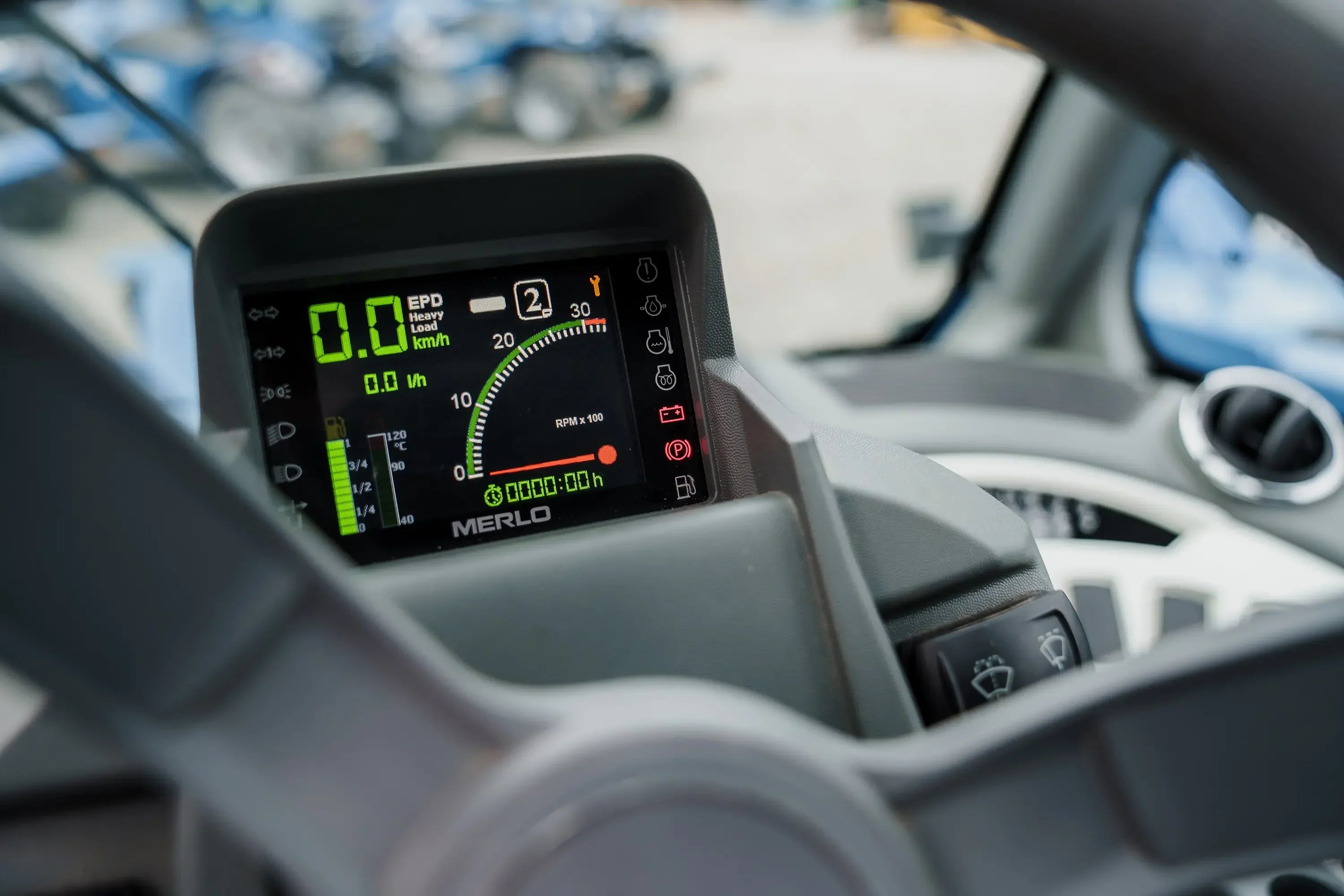
Modern Merlo telescopic handlers and aerial work platforms feature complex electronic controls. These systems automatically detect malfunctions and display them via error codes. This guide helps you understand each code – including its meaning, cause, and solution.
Overview – Merlo fault code systems
Depending on the model and year of manufacture, Merlo uses different control systems. The most important ones are:
- MD-CODER (current systems) – digital, modular controllers
- ROTO MCSS (older models) – electro-hydraulic combination
- J1939 Engine Codes – Engine and Drivetrain-Specific Diagnostics
In total, there are more than 200 error codes – the most common ones relate to joystick, sensor, memory and CAN bus problems.
MD-CODER error codes (V 1.25 – V 1.40)
The MD-CODER system is the foundation of modern Merlo control systems. It manages all inputs, sensors, and safety functions. Errors are displayed numerically (0–170).
Category 0 – 10 · Control Panel & Joystick
| code | Mistake | Caused | Solution |
|---|---|---|---|
| 1 | Joystick not working | Open circuit / short circuit / defective joystick | Check wiring and connectors |
| 2 | Joystick calibration required | Calibration is missing or faulty | Recalibrate joystick (via MerloDiag) |
| 10 | Eco & Speed button defective | Signal or button interrupted | Check and replace buttons |
| 12 – 15 | Potentiometers 1-4 are faulty | Resistance out of range / short circuit | Replace or recalibrate potentiometers |
| 18 | CAN bus error | Interrupted communication | Check CAN lines and connectors |
Category 20-30 · Sensor & Telescopic Arm
| code | Mistake | Caused | Solution |
|---|---|---|---|
| 18 | Telescopic arm extension sensor faulty | Signal out of range (0.5–4.5 V) | Check sensor value with UGSB 1-2-15 |
| 25 | Data not loaded from EEPROM | Memory error in uPC | Repeat calibration or replace the circuit board. |
| 27 | ADC Autodetect faulty | Analog bridge invalid | Check resistance values / Replace ADC module |
| 28 | µPA/uPC version mismatch | Firmware incompatibility | Replace control board (current version) |
Category 30 – 80 · Output Drivers & Overload
| code | Mistake | Caused | Solution |
|---|---|---|---|
| 30 – 31 | Overload output DO14 (JB.52) | Overcurrent or short circuit | Check cabling and connections |
| 51 – 52 | Overload output DO35 (JA.62) | Driver overheated | Check the cable and driver board |
| 62 – 65 | DBTS428_IDN driver error | Signal transmitter defective or overloaded | Check drivers / replace module |
| 69 – 70 | OUT 02 Solenoid valve (telescopic arm) | Valve blocked or short circuit | Clean or replace the valve |
| 71 – 77 | Various initial errors | Overload / Missing signal | Check control lines and sensors |
| 72 – 73 | No power supply DO02 / DO13 | Supply fault at J1.A1-A6 | Check power supply |
| 83 | Power supply DO13 is missing | Cable breakage or plug problem | Check line |
Category 160 – 170 · Flash Memory & Drivers
| code | Mistake | Caused | Solution |
|---|---|---|---|
| 160 | GE_AT25DF_BUS_BUSY_ID | Memory access blocked | Restart the control unit |
| 161 | GE_AT25DF_WRITE_ERR_ID | Typo in Flash | Replace the circuit board or reload the software. |
| 162 | GE_AT25DF_TIMEOUT_ID | Access time exceeded | Restart process |
| 163 | GE_AT25DF_WRONG_ACCESS_ID | Incorrect memory access | Check firmware version |
| 164 – 169 | TLE7242 driver error | Signal, bit, or overload error | Check drivers/cabling |
MD-CODER communication error (140 – 150)
| code | Mistake | Caused | Solution |
|---|---|---|---|
| 145 | No communication with MPS (Motor Controller) | CAN bus error / power supply missing | Check bus lines and voltage |
| 146 | No communication with MSS (Operator Panel) | Control panel offline | Connect and test the panel with the MD-CODER. |
| 147 | No communication TEC (transmission control) | Control unit unreachable | Check power supply and CAN lines |
| 148 | No communication UCC (outrigger) | offline module | Check CAN connection |
| 149 | Module communication error | Bus faulty / address duplicated | Diagnose and redirect the network |
ROTO MCSS error codes (older Merlo models)
The ROTO MCSS system is used in older Merlo telescopic handlers and aerial work platforms. It monitors hydraulics, sensors, and electronics. Faults are represented by three-digit codes. Sensor and CAN bus problems are particularly common.
Category 200 – 240 · Sensor & Electronics
| code | Mistake | Caused | Solution |
|---|---|---|---|
| 216 | Angle sensor upper carriage defective | Contradiction with limit switch | Check and recalibrate the angle encoder. |
| 217 | Right joystick (Z-axis) defective | Telephone on/off error | Calibrate joystick, check cables |
| 218 | Length encoder for telescopic boom defective | Signal out of range | Calibrate length encoders, check limit switches |
| 219 | Length sensor + rope error | Mechanical malfunction | Check rope and limit switches |
| 233 | Solenoid valve EV09 not supplied | Power supply interrupted | Check sliding contacts and cables |
| 234 | Right joystick not calibrated | Missing calibration | Perform calibration in the service menu |
| 235 | UCMS/UGS conflict over EV09 | Tax conflict | Contact Merlo Service |
| 236 | Multidrone not calibrated | Servo controls are missing | Calibrating the multidrome via the service tool |
| 237 | Time not updated | Real-time clock error | Set time in system |
| 238 | Weight sensors not calibrated | Calibration is missing | Perform calibration in the "KG" menu. |
Category 320 – 370 · Solenoid valve & output
| code | Mistake | Caused | Solution |
|---|---|---|---|
| 326 | Open circuit OUT 06 (acceleration relay) | Line interrupted | Check cables and relays |
| 354 | Open circle OUT 42 (Reverse gear Rexroth) | Signal interrupted | Check plugs and relays |
| 355 | Open circle OUT 43 (Rexroth forward gear) | Signal interrupted | Check the wiring |
| 358 | Circle open OUT 46 (First aisle Rexroth) | Circuit interrupted | Check circuit |
| 359 | Open circle OUT 47 (Second aisle Rexroth) | Signal loss | Replace the line or check the cable. |
| 364 | Open circle OUT 54 (level cylinder VR) | Valve defective | Check and replace the solenoid valve |
| 365 | Open circuit OUT 55 (rear leveling cylinder) | Signal missing | Check EV22 solenoid valve |
| 368 | Short circuit OUT 00 (all-wheel steering) | Short circuit in control circuit | Check EV24 & cable |
| 369 | Short circuit OUT 01 (crab walk) | Cable short-circuited | Check EV25 solenoid valve |
| 370 | Short circuit OUT 02 (differential lock) | Short circuit valve circuit | Check EV28 and connector |
| 371 | Short circuit OUT 03 (parking brake) | Signal faulty | Check EV30 valve |
| 372 | Short circuit OUT 04 (hydraulic pump coupling) | Short circuit | Check EV31 clutch valve |
| 373 | Short circuit OUT 05 (heating) | Valve or relay defective | Check EVR |
| 374 | Short circuit OUT 06 (acceleration relay) | Relay overheated | Replace relay |
| 376 | Short circuit OUT 10 (retract support HR) | Signal out of tolerance | Check support valve |
Category 410 – 462 · Internal faults & CAN bus
| code | Mistake | Caused | Solution |
|---|---|---|---|
| 416 | The microprocessor phases are not synchronized. | Internal error UGS | Contact service |
| 417 | CRC communication errors in microprocessors | Data transmission disrupted | Contact service |
| 418 | Relay test failed | Internal system error | Check/replace relays |
| 419 | Analogous contradictions | Sensor conflict or miscalibration | Perform a diagnosis |
| 420 | Unexpected reset | voltage drop | Check battery voltage |
| 421 | Faulty Monitor Relay | Monitoring inactive | Check relay module |
| 422 | Error saving EEPROM | Memory corrupted | EEPROM replacement |
| 423 | Timeout Foreground Cycle | Processor timeout | Restart system |
| 430 | Pressure sensor calibration outside limits | Calibration error | Recalibrate sensors |
| 431 | ACK is missing in the CAN bus | Bus line interrupted | Check the lines |
| 433 | Heartbeat UCMS is missing | offline module | Diagnosing the CAN bus |
| 434 | Supply voltage outside limit values | Battery voltage too high/low | Check battery terminals and battery |
| 442 – 445 | Pressure sensor supports outside limits | Sensor error | Value 0 = open, 255 = short circuit → replace sensor |
| 446 | Timeout Write to EPROM | Memory error | Contact Merlo Service |
| 447 | UGS blocked | System error | Contact service |
| 448 – 450 | Keyboard error | EPROM/CAN bus problem | Check/replace keyboard |
| 457 – 461 | CAN bus communication error | Module not reachable | Check network, secure connectors |
| 462 | Heartbeat AE missing (pressure equalization) | Sensor not reachable | Check the connector on the AE unit |
MERLIN (older electrical system)
Older ROTO series use the MERLIN electrical system. It controls basic functions, safety circuits, and valves. Typical error codes begin with 2xx.
| code | Mistake | Caused | Solution |
|---|---|---|---|
| 201 | Low Supply Voltage (UPD) | Battery voltage too low | Check battery and terminals |
| 205 | Engine won't start – low voltage | Battery dead | Charge or replace battery |
| 210 – 213 | Safety circuit solenoid valve faulty | Signal interrupted | Check valve circuit and bypass |
| 224 | Electric valve status inconsistent | Control signal conflict | Check communication between UCMS/UGS |
| 228 | UPD communication is lacking | offline module | Check power supply and CAN bus |
| 232 – 235 | Servo solenoid valves defective | Signal error | Check valves and cables |
| 256 – 260 | Servo out of zero during PLD test | Electronic fault | Check UCMS |
| 268 | Stage rotation speed faulty | Sensor or engine fault | Check the rotary actuator |
| 277 | Lifting speed faulty | Hydraulic fault | Check hydraulic system |
J1939 Engine fault codes (Merlo diesel and hybrid models)
Newer Merlo machines use engine control units based on the SAE J1939 standard . These fault codes are compatible across manufacturers (e.g., Deutz, Kohler, Perkins). They provide precise diagnoses for engine, exhaust, and drive problems. The system uses hexadecimal codes in the format 0xPPFFEE , where PP describes the fault class, FF the fault mode, and EE the component.
Categories of J1939 codes
- 04xx: Fuel system (injectors, pressure)
- A0xx: Engine & Temperature (Cooling, Oil, Overheating)
- 01xx: Emissions & exhaust gas control (AdBlue, DPF, SCR, Turbo)
- 03xx: Drive & Transmission (Hydraulics, PWM, Pressure)
- 0F/2x: Electrical & Sensors (Accelerator pedal, RPM, Idle)
- 05xx: Battery & Power Supply
Most common engine fault codes
| code | Meaning | Caused | Solution |
|---|---|---|---|
| 0400CA | Short circuit between fuel solenoid valve and ground | Pipe damaged / Valve defective | Check wiring harness, replace solenoid valve |
| 0400CB | Fuel Injector – Short to Battery | Circuit overload | Check relays and wiring |
| 0400CC | Fuel Injector – Open Circuit | Open line / defective injector | Check connectors, replace injector |
| 0401CA | Fuel pressure too high | Pressure regulator defective | Renew regulator |
| 0401CB | Fuel pressure too low | Fuel pump weak / filter clogged | Check/replace pump and filter |
| 0401CC | Fuel pressure sensor fault | Sensor defective / signal implausible | Replace or recalibrate the sensor |
| A00003 | Engine overtemperature | Coolant shortage / Thermostat defective / Radiator leak | Check and top up coolant level, test thermostat |
| A00004 | Coolant Temperature Sensor Malfunction | Sensor implausible / Resistance out of range | Replace / calibrate sensor |
| A00005 | Coolant level too low | Leakage / Evaporation / Wear | Top up coolant, check for leaks |
| A00006 | Coolant Pressure – Too High | Cooling circuit overpressure / Thermostat stuck | Check the cooling cap and hose |
| A00007 | Engine oil temperature too high | Oil shortage / Cooling malfunction | Check oil level and cooling |
| A00008 | Engine oil pressure too low | Oil shortage / weak pump / defective seal | Refill oil, test pump |
| 030028 | PWM Telescope 1 Short Circuit Vbat | Hydraulic telescopic valve overloaded | Check cables, replace valve |
| 030029 | PWM Telescope 2 – Short Circuit | Second telescopic valve error | Diagnose and repair accordingly |
| 030030 | Hydraulic Pressure Sensor Error | Pressure sensor signal implausible | Clean/replace sensor |
| 0DF0E3 | Implausible accelerator pedal signal | Sensor defective / Contact dirty / Signal noise | Clean the connector, replace the sensor |
| 0DF0E4 | Accelerator Pedal – Out of Range | Accelerator pedal value out of range | Calibrate sensor with MerloDiag |
| 0DF0E5 | Accelerator Pedal – Voltage Low | Power supply too low / open circuit | Check power supply and wiring harness |
| 25F0E3 | Accelerometer error | Sensor value outside limit values | Recalibrate sensor with MerloDiag |
| 25F0E4 | Acceleration Rate – Out of Bounds | Implausible acceleration | Diagnose and, if necessary, replace the sensor. |
| 24F0E3 | Idle speed sensor malfunction | Signal voltage faulty / Sensor dirty | Check and recalibrate the sensor. |
| 24F0E4 | Idle Speed – Error | Idle speed out of norm | Correct settings, test sensor |
| 001236 | Diesel Particulate Filter (DPF) clogged | Soot buildup / too frequent stop-and-go driving | Perform DPF regeneration or cleaning |
| 001234 | NOx Sensor 1 – Error | AdBlue/SCR sensor fault / contact corroded | Clean/replace sensor |
| 001239 | AdBlue Level – Too Low | AdBlue used up | Refill AdBlue (at least 5 liters) |
| 050002 | Battery voltage – Too low | Battery discharged / charging regulator defective | Charge or replace battery |
| 050001 | Battery voltage – Too high | Overcharge charge regulator | Check charging regulator / alternator |
| 0101CA | Turbocharger Boost Pressure – Too High | Intercooler fault / Valve blocked | Clean the radiator, check the boost valve |
| 0101CB | Turbocharger Boost Pressure – Too Low | Turbo wear / leakage | Diagnose / replace turbocharger |
Understanding the J1939 code format
J1939 codes use hexadecimal format: 0xPPFFEE
- PP (Fault Class): 01=Emission, 03=Transmission, 04=Fuel, 05=Power, 0F=Pedal, A0=Engine
- FF (Fault Mode): 00=Pressure too high, 01=Pressure too low, 02=Sensor error, CA=Short circuit ground, CB=Short circuit battery, CC=Open circuit
- EE (Component): CA/CB/CC etc. identify the exact component
Example: 0x0400CA = 04 (Fuel) + 00 (Pressure High) + CA (Component A) = Fuel pressure too high at component A
Most common J1939 errors in practice
| Rank | Error type | frequency | Symptoms | Quick solution |
|---|---|---|---|---|
| 1 | Fuel injectors (0400CA–CC) | ~15% | Engine runs rough / Smoke is emitted | Check wiring harness, replace injector |
| 2 | Engine overtemperature (A00003) | ~12% | Warning light, engine throttles back | Check and top up the coolant level |
| 3 | DPF clogged (001236) | ~10% | Loss of power, black smoke | Perform regeneration |
| 4 | Accelerator pedal error (0DF0E3) | ~8% | Gas not responding / Throttle | Clean/calibrate sensor |
| 5 | PWM Telescope (030028) | ~7% | The telescope is not responding correctly | Diagnosing valve & cable |
| 6 | Low battery (050002) | ~6% | Ignition problems, weak start | Charge or replace battery |
| 7 | AdBlue low (001239) | ~5% | Warning at every ignition | Refill AdBlue |
| 8 | NOx sensor (001234) | ~4% | Warning / Power reduction | Clean/replace sensor |
Error triggering & critical codes
Critical – Emergency engine shutdown possible: A00003 (Overheating), 050002 (Battery critical), 0400CA/CB (Injector short circuit)
Warning – Limp mode, restricted operation: 001236 (DPF), 001239 (AdBlue), 0DF0E3 (Accelerator pedal), 030028 (PWM)
Information – Diagnosis required, no safety risk: 0401CC (pressure sensor), 24F0E3 (idle), 25F0E3 (acceleration)
Read and fix engine faults
- With MerloDiag: Start the software → “Engine Codes” → “Live Data” or “Fault History”
- Note the error: code (e.g., 0400CA), timestamp, frequency
- Perform a quick test: check the battery, inspect the connectors, and perform simple calibrations.
- In case of persistence: Read out the memory, analyze the technical data.
- Repair: Depending on the code, replace or adjust the sensor/valve/injector.
- Clear errors: Reset after repair with MerloDiag
All J1939 codes are transmitted from the engine control unit (ECU) to the main display via CAN bus. Faults remain stored until they are actively reset. For precise diagnostics, MerloDiag is indispensable – it displays live sensor data, voltage values, and CAN communication in real time.
Best Practice for Engine Fault Diagnosis
- Regular maintenance: oil change, filters, AdBlue – reduces 70% of faults.
- Early reaction: Take error codes seriously before the engine goes into limp mode.
- Working with MerloDiag: Don't guess, diagnose.
- Spare parts with care: Use only original or certified components.
- Test after repair: Check for errors with a test drive before releasing the machine back into service.
Most common Merlo errors in practice
Based on service statistics, certain error groups occur particularly frequently. The following table summarizes the top problems:
| Rank | Error area | frequency | Caused | Quick solution |
|---|---|---|---|---|
| 1 | Joystick (1–15) | 35% | Defective potentiometers, incorrect calibration | Recalibrate joystick, check cables |
| 2 | CAN bus (457–461) | 20% | Loose connections / Network errors | Check bus topology, clean contacts |
| 3 | Sensors (216–219) | 18% | Dirty or defective sensors | Clean/replace sensor |
| 4 | Storage (160–163) | 12% | Flash or EEPROM error | Restart / Check control board |
| 5 | Engine (J1939) | 10% | Overheating, fuel or pedal fault | Engine diagnostics with MerloDiag |
| 6 | Solenoid valves (233) | 5% | Power supply EV09 is missing | Check wiring harness |
Diagnostic tools for Merlo
Specialized diagnostic systems are required for fault analysis. These software and hardware tools are used as standard in Merlo service:
| Tool | Purpose | compatibility |
|---|---|---|
| MerloDiag | Main diagnostic software with fault memory and live data function | All modern Merlo models (MD-CODER, ROTO) |
| UGSB 1-2-15 | Test module for telescopic arm extension sensors | MD CODER systems |
| Multidrome calibration | Fine-tuning of servo controls / rotational speeds | ROTO MCSS models |
| CAN bus analyzer | Analysis of messages, error frames and line lengths | All CAN-based systems including J1939 |
Error code hierarchy (system structure)
 MD-CODER System:
 ├─ 1–15 : Joystick & Control Panel
 ├─ 18–27 : Sensor & Memory
 ├─ 30–80 : Output Driver & Overload
 ├─ 145–149 : Module Communication
 └─ 160–170 : Flash Memory & Drivers

 ROTO MCSS System:
 ├─ 0–50 : Basic error UCMS
 ├─ 200–240 : Sensor & Control
├─ 320–415 : Solenoid valve / Outputs
 └─ 416–462 : Internal faults & CAN bus

 J1939 Engine System:
 ├─ 0x0400CA – Fuel Solenoid
 ├─ 0xA00003 – Engine Overheat
 └─ 0x030028 – Telescope PWM Fault
Critical findings from the Merlo error code analysis
Analysis of official service data reveals clear patterns. Many Merlo faults are not mechanical, but rather electronic or sensor-based . Particularly common are faulty calibrations and CAN communication problems.
1. Most common types of errors
- Joystick problems (approx. 35%) – mostly due to potentiometer or cable defects.
- CAN bus malfunctions (approx. 20%) – interrupted communication between controllers.
- Sensor calibration error (approx. 18%) – incorrect values due to incorrect initialization.
- Flash memory errors (approx. 12%) – after power interruption or overload.
- Engine/hydraulic codes (approx. 10%) – mostly temperature or pressure sensor errors.
2. CAN bus communication – Weak point no. 1
The Controller Area Network (CAN) is the backbone of the entire Merlo control system. A faulty node or connector can trigger dozens of errors. Typical symptoms:
- Multiple control units do not respond simultaneously
- The display shows changing codes (e.g., 145–149, 457–461)
- Error disappears after ignition/restart
Practical tip: First check the ground connections and CAN termination resistors (120 Ω). A common cause is corrosion at connectors in outdoor areas.
3. Calibration – an underestimated error factor
Most sensor errors (length encoder, telescopic arm, joystick) occur after maintenance or battery replacement. Without recalibration, the system detects incorrect values.
Recommended maintenance routine:
- After every battery or circuit board replacement: Recalibrate joystick & sensors
- Start calibration in the "MerloDiag" menu
- Document all limit values (e.g. 0.5–4.5 V for telescopic sensors)
4. Typical Joystick Problems and Solutions
The joystick is the central input unit of modern Merlo systems. Malfunctions usually affect electrical or logical signal paths.
- Error code 1–2: Joystick does not respond → Check power supply or connector.
- Error code 2–5: Calibration required → MerloDiag > Calibrate inputs.
- Error code 18: CAN signal interrupted → Check bus lines.
Note: If joystick errors occur repeatedly, it is advisable to replace the entire input module.
5. Solenoid valve and hydraulic faults
Solenoid valve problems (codes 233–235, 364–372) mostly occur in older ROTO models. Causes include:
- Corrosion at plug connections
- Excessive current draw of the valve coil
- Missing power supply (relay / fuse)
Recommendation: Measure the voltage at the respective OUT channel. If there is no signal, the driver output or the module is defective.
6. Handling memory and EEPROM errors
Error codes 160–163 or 422–446 indicate memory problems , usually after power outages. These can often be resolved by restarting the device or reloading the firmware.
- Before restarting: Check voltage (at least 12.2 V)
- MerloDiag: Check memory status
- If permanently active → replace circuit board
7. Software & Firmware Incompatibilities
Some errors (e.g., code 28 – “µPA/uPC version different”) occur when different firmware versions are used together. This happens after module replacement or updates.
Solution: Always update complete module groups simultaneously – MD-CODER, MSS, UCC, TEC. Avoid differences between versions 1.25, 1.29 and 1.40.
8. Engine fault code J1939 – Interpretation & Remedy
Motor faults are usually secondary: overheating, pressure loss, or power supply issues. The system switches to emergency mode.
- Code A00003: Overheating → Check cooling
- Code 0400CA: Fuel solenoid valve → Check circuit
- Code 25F0E3: Pedal sensor → Replace sensor
9. Safety instructions in case of active errors
Some faults (CAN failure, joystick error, valve short circuit) lead to automatic deactivation of the hydraulics. Operation is then unsafe.
- Stop the machine immediately.
- Pull the emergency stop button
- Read out error codes, fix the cause
Important: Never ignore error codes – even temporary communication problems can indicate structural defects.






Share:
JLG error codes explained: causes, meaning & solutions
3D arm on aerial work platforms: Technology, advantages and model codes at a glance
Our editorial quality standards
The subject content on biberger.de are editorially created, reviewed, and continuously updated. The basis is our daily work with aerial platforms, telehandlers, and industrial trucks – in rental, sales, operational planning, and technical support.
Each article draws on real-world experience and is editorially reviewed for clarity, accuracy, and practical relevance according to expert criteria. Technical statements are regularly compared against current industry standards and best practices.
The aim of our publications is to make reliable specialist knowledge accessible and to offer guidance to users, decision-makers and industry partners. BIBERGER sees itself as an independent information platform for safe, economical and modern height access technology – well-founded, comprehensible and free from advertising influence.