










 What You Need to Know
Precision is crucial when lifting heavy loads. Load diagrams show you at a glance which load is permissible in which configuration. Reading them correctly helps avoid overloading, tipping moments, and downtime.
This guide provides you with everything you need: understand the basics, know the different types of diagrams, and correctly interpret load capacity values – for forklifts, cranes, and aerial work platforms. Compact, practical, and to the point.
Load center of gravity online calculator
What is a load diagram?
A load chart is the legally binding load capacity specification for your machine. It shows the permissible load depending on lifting height, reach, boom angle, and load center of gravity . It is part of the operating instructions and is often located at the operator's station .
Important: Load diagrams are not recommendations, but limit values . They are derived from standards, tests, and safety factors. Exceeding these limits compromises structural stability.

Example illustration of a Merlo load diagram.
Where can you find the load diagram?
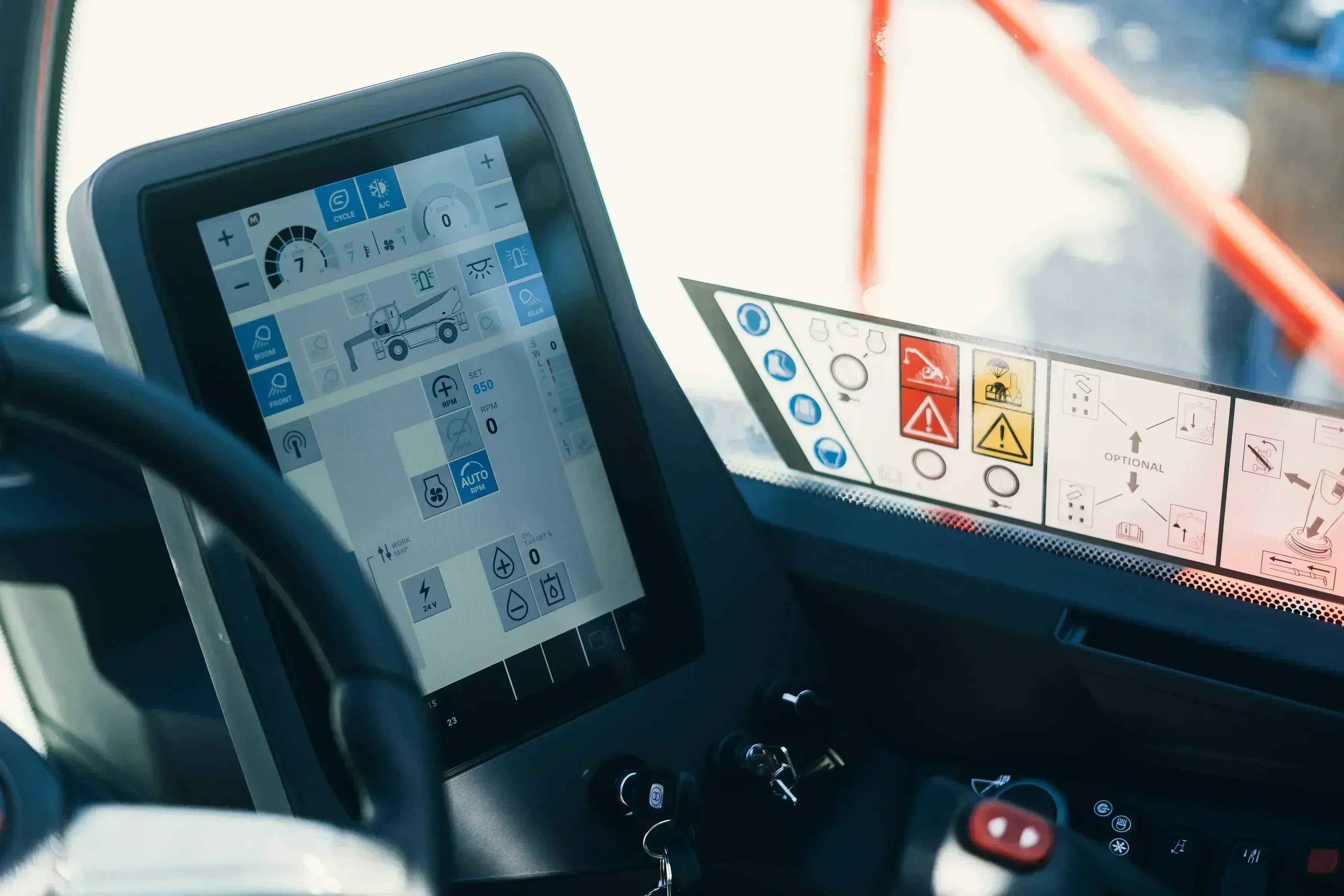
There are typically three locations: the control panel/cabin (stickers), the manual (tables & graphics), and, on modern machines, the display with live information. Attachments (e.g., fork extensions, crane arms) have their own separate diagram .
What types of diagrams are there?
Depending on the machine, the manufacturer uses graphical, tabular, or hybrid representations. Here's how to classify them:
| Chart type | Depiction | Strength | Typical use |
|---|---|---|---|
| Graphically | Curves/Zones according to projection & angle | Quick overview, intuitive | Cranes, telescopic and articulated platforms |
| Tabular | Matrices with numerical values | Exact decision, comparison | Forklift trucks, warehouse technology |
| Hybrid/Digital | Live residual carrying capacity displayed | Real-time, fault tolerance | Modern cranes & stages |

Legal framework and relevant standards
The safe operation of forklifts and telehandlers is not only a matter of technology, but also of compliance with legal requirements and standards . These stipulate how machines must be inspected, operated, and maintained. For operators, this means that load charts and accompanying tables must be strictly adhered to, and clear rules from standards, guidelines, and accident prevention regulations also apply. These requirements ensure that stability, load limits, and occupational safety are guaranteed at all times.
| Standard / Regulations | Scope | Brief description | Applicable machines | Key requirements |
|---|---|---|---|---|
| EN 1459 | telescopic handler | Safety requirements and testing procedures for telescopic handlers | telescopic handler | Stability, gantry inspection, marking |
| ISO 9927-1 | General inspection of lifting equipment | Inspection and maintenance of lifting equipment | Forklifts with lifting equipment, cranes | Regular visual and functional inspection |
| ISO 10896-1 | Cranes – Safety | General safety requirements | Stationary and mobile cranes | Load capacity specifications, load movements, braking performance |
| ISO 12480-1 | Cranes – Operation and Training | Job profile for operating personnel | Cranes of all kinds | Qualification, instruction, training |
| DGUV Rule 100-500 | Industrial trucks | Accident prevention regulations for maintenance, testing and operation | forklifts, pallet trucks | Responsibilities, inspection deadlines, documentation |
| DGUV Rule 114-024 | Operation of telescopic handlers | Specific requirements for use and operation | telescopic handler | Operational limits, instruction, personal protective equipment |
| Machinery Directive 2006/42/EC | EU-wide for all machines | Conformity assessment and CE marking | All machines | Risk assessment, CE marking, technical documentation |
| BetrSichV | Germany | Industrial Safety Ordinance for Work Equipment | All machines used in the company | Risk assessment, inspection obligation, instruction |
Practical advice: Operators – i.e., forklift drivers – and owners must be familiar with these regulations and implement them consistently. Those who ignore standards risk not only losing their operating license, but also fines and liability claims in the event of an accident.
How to read load diagrams correctly
The safe procedure is always the same: Define the configuration → find the corresponding value in the diagram → do not exceed the limit . Read footnotes and symbols – these often contain restrictions (wind, support width, special equipment).
Forklift: Lifting height & load center of gravity under control
The lifting capacity of a forklift depends primarily on the lifting height and the distance between the load's center of gravity . Here's how to proceed:
- Determine the center of gravity of the load (standard often 500 mm; larger with attachment).
- Select the lifting height and read off the corresponding load capacity.
- Factor in the attachment : its own weight + shift in the center of gravity reduces the permissible load.
Example: A 2.5 t forklift with a 500 mm load center → 2,500 kg. With an 800 mm center of gravity and a 200 kg attachment, the permissible load can fall below 1,500 kg.

Cranes: Outreach kills lifting capacity
The permissible load on a crane decreases with the reach (radius) . Additional factors include boom length/angle , outrigger mode , and, if applicable, the jib .
- Check configuration: main boom/jib, hook, outrigger width.
- Select the projection on the horizontal axis.
- Adjust boom angle/length (matrix or curve).
- Read the load capacity and note all footnotes .
- Pay attention to wind: Many values only apply up to the specified wind class.
- Support: Narrow support ≠ full load capacity.
- Dynamics: Jerks, oscillations and gusts create load peaks → plan for a safety margin.
Work platforms: Platform load & reach
Scissor lifts often have a fixed platform load capacity . Telescopic/articulated boom lifts operate with load charts depending on the boom position. The overload protection automatically limits the platform load if it is exceeded.

Load center distance (forklift) – short & sweet
- Determine the center of gravity of the load (for asymmetrical loads, make a realistic assessment).
- Measure the distance from the front axle to the center of gravity.
- Take the attachment into account (increases the distance, reduces the load capacity).
- Check against the nameplate/diagram – never go beyond that.
Accompanying tables: the details behind the load diagram
In addition to the graphical representation, accompanying tables provide the crucial figures for planning, documentation, and verification. They supplement the diagram with reliable values for risk assessment, equipment selection, and work preparation.
- Load-bearing capacity curve for cantilever statics: numerical values per cantilever length/angle and projection, including permissible loads per grid point – ideal for detailed planning and recalculation.
- Overturning safety data (overturning moment): tabulated stability reserves with reference to support width, ballast, inclination and wind; basis for safety factors and approvals.
- Detailed operating profile: cycle times, lift/lower profiles, load collectives and motion components for estimating cycle time, energy consumption and wear.
- Hydraulic parameters vs. stroke height: pressure/volume flow, cylinder speeds, end position damping and thermal limits per stroke height and load – important for performance and heat management.
Practical tip: Always store accompanying tables with version number, boundary conditions (wind, support, attachments) and units – only then are calculations reproducible and audit-proof.
Digital help: Live load indicator
Many modern machines display the residual load capacity in real time . The system takes into account boom position, tilt, and sometimes wind. Advantages: fewer calculation errors, greater safety, higher productivity.
Typical mistakes – and how to avoid them
| problem | Probable cause | Safe solution |
|---|---|---|
| Forklift tips forward | Load center larger than assumed, attachment not taken into account | Determine the exact center of gravity, use the diagram for the attachment, reduce the load |
| Crane cannot reach load | Radius larger than planned, wrong table field selected | Remeasure the projection, choose the correct configuration, and plan in a safety margin. |
| Stage shuts down | Platform overloaded or incline too large | Reduce weight, check surface/slope, follow work diagram |
| Values only "fit" on paper. | Footnotes/wind limits overlooked, dynamic load peaks | Read footnotes, check wind, no "edge" planning – 10–20% reserve |
Quick check before each hub
| Ask | Yes No | What to do if "no"? |
|---|---|---|
| Does the configuration match the diagram? | Select the correct table/page, adjust the configuration | |
| All attachments included in the value? | Use a specific diagram, correct the load | |
| Correctly measured reach/lifting height? | Repeat measurement, use guide | |
| Wind/slope within the clearance area? | Adjust or stop the operation | |
| Have you planned for a 10-20% reserve ? | Reduce load or shorten range |
Practical example: The "tight" hub
A telescopic handler lifts 1,200 kg at a 3 m reach. At the work site, the reach is 5 m – the diagram only permits 800 kg there. Result: The lift is not permissible . Solution: Split the load, get closer, or use a device with a higher lifting capacity.
Practical tips for the safe handling of load diagrams
To ensure that load diagrams don't remain purely theoretical in everyday practice, but actually provide real safety, clear routines and simple checks are essential. Crucially, operators shouldn't just skim the values, but consistently incorporate them into their work. The following tips will facilitate safe handling:
- Check before starting work: Compare the load diagram, accompanying tables and nameplate with the current configuration.
- Plan for a reserve: Never work at the limit, but always allow for a 10–20% safety reserve.
- Include attachments in the calculation: Include the weight and center of gravity shift of each attachment in the calculation.
- Pay attention to wind and inclination: Values only apply to the operating conditions specified in the diagram – deviations reduce the load-bearing capacity.
- Read footnotes: Limitations in tables and diagrams are binding, even if they are printed in small type.
- Use digital aids: Modern machines with residual load capacity display reduce calculation errors and increase safety.
- Involve the team: In tight spaces, use a spotter to monitor distances, reach, and load handling.
Practical advice: Check first, then lift – those who read the load diagram step by step avoid downtime, damage and dangerous situations.
Conclusion
Load diagrams are your safety net. By carefully checking configuration, reach, and load center of gravity, you can lift safely, efficiently, and in compliance with regulations. Plan with a safety margin, read footnotes – and use digital residual load capacity indicators where available.







Share:
Video shoot for SYSTEM-CARD training courses: Telehandlers and Rotoforklifts
PPE and PPEgA on work platforms – obligation, selection and practice
Our editorial quality standards
The subject content on biberger.de are editorially created, reviewed, and continuously updated. The basis is our daily work with aerial platforms, telehandlers, and industrial trucks – in rental, sales, operational planning, and technical support.
Each article draws on real-world experience and is editorially reviewed for clarity, accuracy, and practical relevance according to expert criteria. Technical statements are regularly compared against current industry standards and best practices.
The aim of our publications is to make reliable specialist knowledge accessible and to offer guidance to users, decision-makers and industry partners. BIBERGER sees itself as an independent information platform for safe, economical and modern height access technology – well-founded, comprehensible and free from advertising influence.