






 What You Need to Know
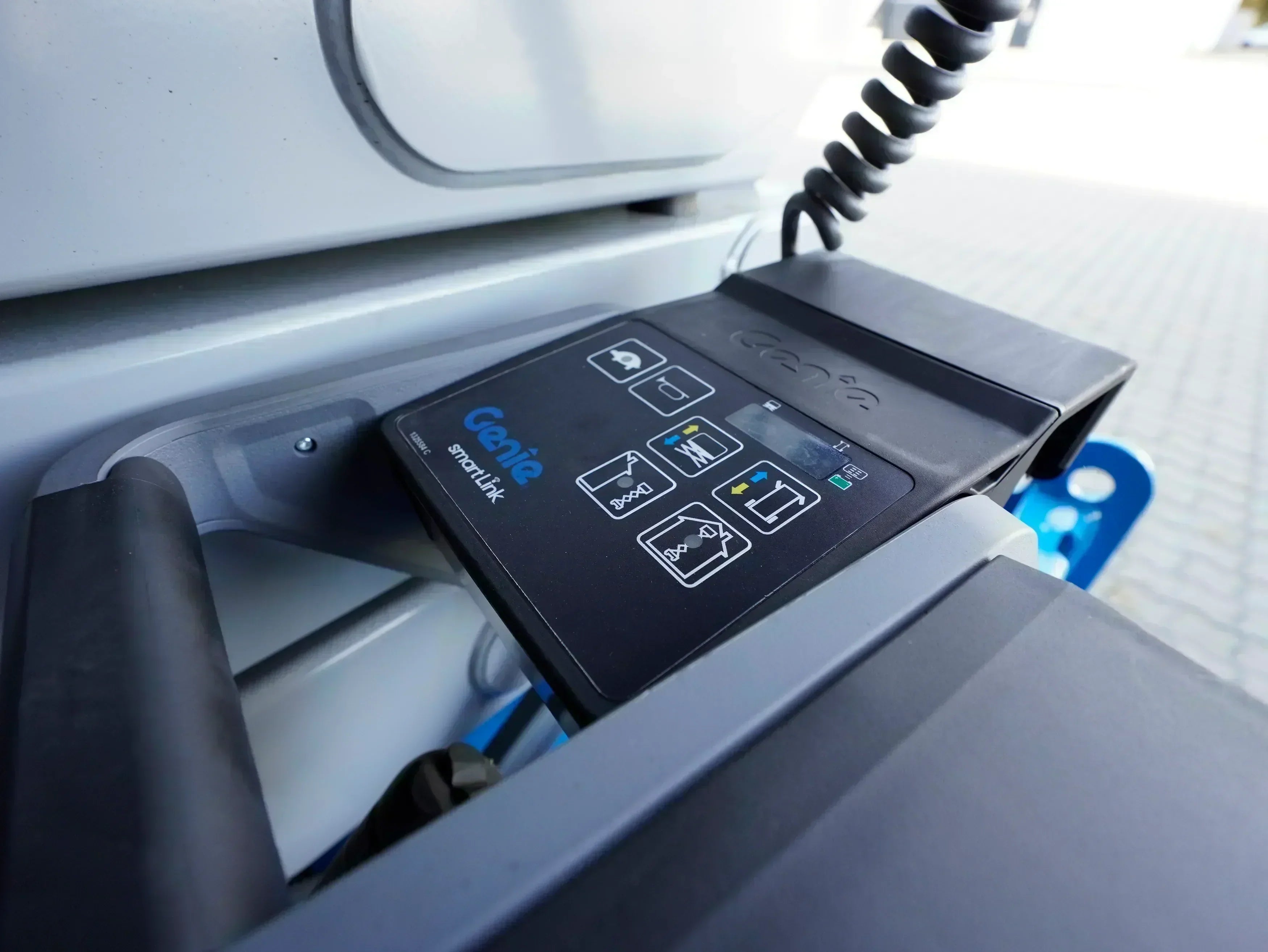
Modern Genie aerial work platforms are equipped with highly advanced electronic control systems . These enable precise operation, maximum safety, and efficient performance. However, as with any complex technology, malfunctions can occur that interrupt operation. To quickly identify these malfunctions, Genie uses a clear fault code system that uniquely identifies faults, depending on the model (e.g. , Genie GS-1932 ).
This article explains how error codes are structured, what types exist, what they mean, and how to react correctly when a message appears. This will help you reduce downtime and ensure the operational reliability of your Genie stage .
Why error codes are important
Error codes provide you with a quick diagnosis directly at the machine. Instead of spending a lot of time searching for the cause, you can specifically check whether it's an electrical problem, a sensor error, or a malfunction in the hydraulic system. This saves you time, reduces downtime costs, and increases safety on the construction site.
Common causes of disorders
Service evaluations show that around 40% of all malfunctions are due to maintenance deficiencies , 35% to external influences such as dust, moisture, or frost. Only a quarter are caused by material fatigue. Regular maintenance and protection of the platform from the elements significantly reduce malfunctions.
Certain error codes occur particularly frequently and are easy to analyze. The following overview shows you which errors occur most often , what causes them, and whether you can fix them yourself or need a service technician.
| Error code | Description | frequency | Caused | measure |
|---|---|---|---|---|
| P100 | Battery problem | 23% | Low voltage, defective battery | Quick fix: Charge the battery, check the terminals |
| 54 / 55 | Lifting coil defective | 18% | Coil burned out or cable broken | Service: Replacing the coil or cable |
| F6 | Tilt sensor | 15% | Miscalibration or contamination | Quick fix: Clean or calibrate the sensor |
| 30 / 47 | Joystick error | 12% | Mechanical defect or moisture | Quick fix or service: Calibrate or replace |
| 02 | Communication error | 9% | Cable problem or ECM malfunction | Service: Check cables, test ECM if necessary |
Seasonal mistakes: What to consider in cold, heat, and wet conditions
Certain errors occur more frequently during specific times of the year. Prevention prevents stagnation.
| season | Main problem | Most common codes | Prevention |
|---|---|---|---|
| Winter (November–March) | Battery loses 20–30% capacity in cold weather | P100, E4 | Nighttime charging, keeping the battery warm |
| Spring/Autumn | Moisture in electronics | 02, 13 (CAN bus) | Keep plugs dry, check regularly |
| Summer (June–Aug) | Cooling fins dirty, overheating | 44–47 | Clean the cooling system; more frequently if there is dust. |
Model differences: Error code frequencies explained
Not all Genie models have the same problems – and that's important to understand. A small scissor lift like the GS-1932 is heavily reliant on battery power and is prone to failure in winter. A large GS-3246, on the other hand, has constant hydraulic loads and differs fundamentally from a boom lift like the Z-45 FE , which is electronically more complex.
This matrix shows you at a glance: Which model has which errors most frequently – and what that means in practice.
Error code frequencies by model series
| Model Type | steering | Top mistake 1 | Top Mistake 2 | Characteristics | Winter risk | Service rating |
|---|---|---|---|---|---|---|
|
GS-1932 Small slab scissor lift |
Gen 5 |
P100 (23%) Battery undervoltage |
E4 (18%) Low Battery |
Battery-focused 41% Battery Error |
Very high +40% Winter |
40% DIY |
|
GS-2632 Medium slab scissor lift |
Gen 5 |
54/55 (26%) Lifting coil defective |
P100 (18%) battery |
Hydraulics-focused 42% hydraulic failure |
Moderate Less critical |
70% Service |
|
GS-3246 Large slab scissor lift |
Gen 5 |
54/55 (28%) Lifting coil defective |
44-47 (22%) Motor overload |
Hydraulics/engine dominant 68% Hydraulics + Motor |
Moderate +35% Summer |
70% Service |
|
Z-45 FE Articulated platform / Boom lift |
Gen 4/5 Boom |
01 (22%) ECM error |
02/13 (18%) CAN bus |
electronics-focused 40% ECM/CAN errors |
Small amount Temperature stable |
80% Service |
Categories of genius error codes
Genie's fault code system is divided into different groups. They indicate which component or function is affected:
Type HXXX – Coil fault
These errors indicate defects in electrical coils that control hydraulic functions such as lifting, lowering, or steering. Causes include short circuits, broken wires, or a defective coil.
Type PXXX – Current fault
Voltage dips, dead batteries, or damaged cables can lead to power failures . A typical consequence: the stage fails to start or responds erratically.
Type UXXX – Switch fault
This affects control elements such as joysticks or lift switches. A defective switch or loose contacts can disable individual functions.
Type FXXX – Sensor error
Safety-relevant sensors such as inclinometers or height monitors are reporting implausible values. These malfunctions should be taken seriously, as they can affect structural stability.
Type CXXX – System and ECM error
Fault in the Electronic Control Module (ECM) , i.e., the central control unit. Causes include software problems or hardware defects. A service technician is almost always required in these cases.
Operational Indicator Codes (OIC)
In addition to error codes, Genie stages use OIC codes (Operator Indicator Codes). These indicate the current operating status and provide information on limitations or warnings.
| code | Meaning |
|---|---|
| LL | The stage is not level (off-level). |
| OIL | Platform overloaded |
| CH | Chassis mode active |
| PHS | Pothole protection blocks |
| and | No drive |
| Ld | Lifting disabled |
Examples of typical error codes
Electronics and ECM
| code | Meaning | Criticality |
|---|---|---|
| 01 | Internal ECM error | High – stop immediately |
| 02 | Communication error control unit | High |
| 03 | Software conflict or configuration error | Medium |
- 1. Check all cable connections (especially the connector between the platform and the chassis)
- 2. Check for corrosion or moisture → Clean contacts with a lint-free cloth
- 3. Check cables for visible damage (kinks, breaks)
- 4. Still experiencing errors? → ECU problem, service required.
Switch-related faults
| code | component | Security relevance |
|---|---|---|
| 18 | Pothole protection | High |
| 20 | Choke/glow plug switch | High |
| 21 | Motor switch | High |
| 26 | Up/Down switch | High |
Joystick error
| code | Error description | measure |
|---|---|---|
| 30 | Joystick calibration faulty | Recalibration |
| 30 | Joystick hardware defective | Replacement module |
Hydraulics and drive
| code | Affected | Caused |
|---|---|---|
| 40–43 | Hydraulic coils | Defective coil or broken cable |
| 44–47 | Motor overload | Often due to dirty cooling fins |
| 49–51 | Drive coils | Electrical faults |
Troubleshooting: Step-by-step
1. Mechanical testing
- Check hydraulic lines for leaks
- Controlling structural parts
- Lubricate moving parts
2. Electrical testing
- Measure battery voltage (e.g. 24V ±5%)
- Check cables and ground points
- Check CAN bus signals
3. Software diagnostics
- Read fault memory
- Calibrate the controller
- If necessary: Update or replacement by a technician
Symptom-based diagnosis
In practice, you often know first what the stage is no longer doing – but not which error code is behind it. This overview helps you to quickly classify symptoms and specifically check which causes are possible.
| symptom | Possible error codes | Typical causes | measure |
|---|---|---|---|
| The stage does not lift | 54, 55, H40–43 | Defective lifting coil, cable torn off | Service: Check the coil and replace if necessary. |
| Stage not moving | E7, nd, 52, 53 | Drive motor or drive control malfunction | Check cable connections, call service if necessary. |
| Display remains dark | P100, E4 | Battery empty or voltage drop | Charge battery, check terminals |
| Incorrect height or slope values | F6, 32 | Sensor defective or incorrectly calibrated | Clean the sensor or perform calibration. |
| The stage reacts uncontrollably | 01, 02 | ECM error, communication problem | Service required – stop operations immediately |
Sensor and joystick calibration
Some error codes don't indicate a defect, but rather a need for calibration . This applies particularly to the joystick (code 30) or the tilt sensor (code 32). Here you'll learn how calibration works, when you can perform it yourself, and when a service technician is required.
Joystick calibration for Code 30
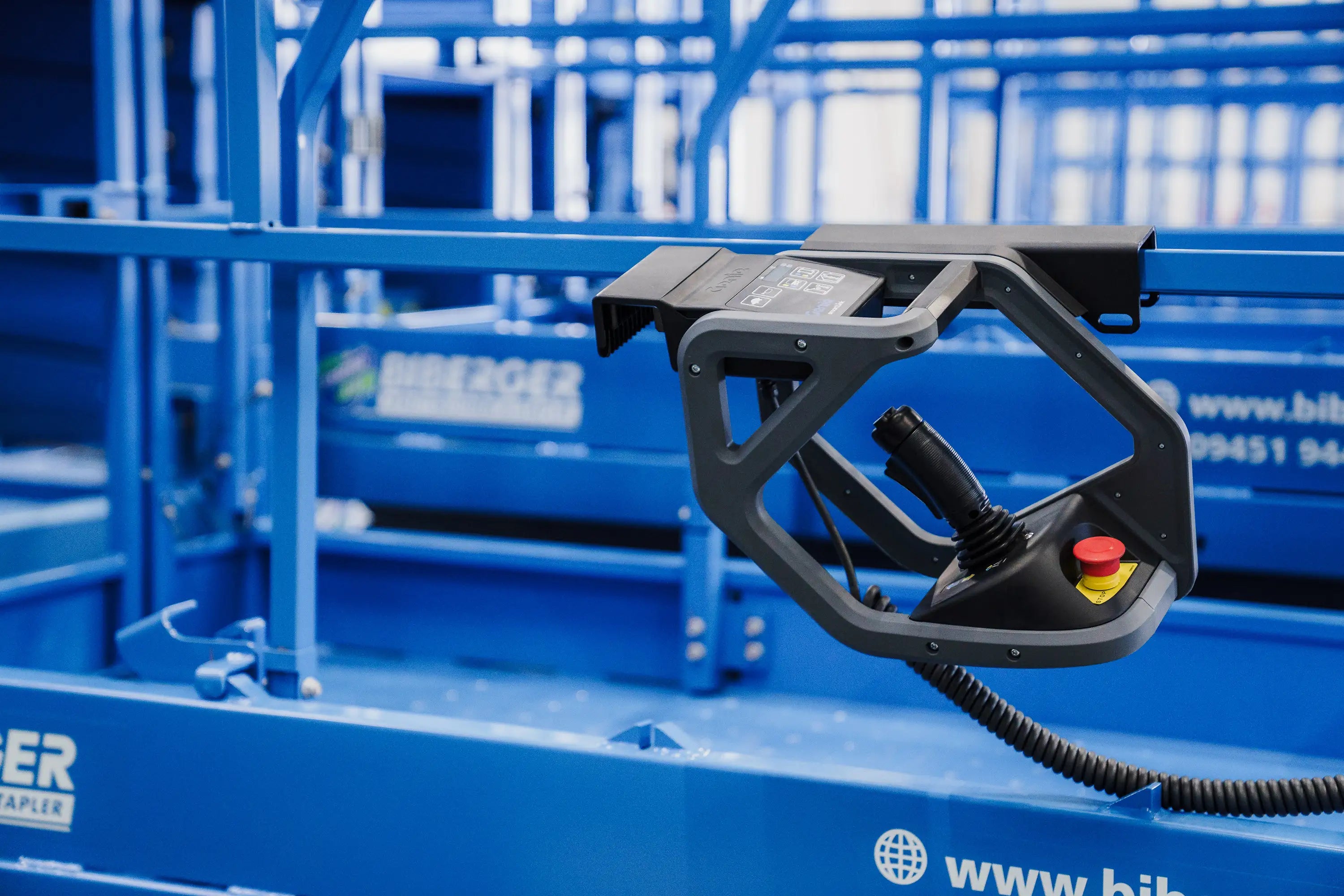
In many cases, you can perform this calibration yourself – especially with Gen 4 or Gen 5 controllers on slab and boom models. It's useful if the stage responds to joystick movements with a delay or inaccurately.
Here's how:
- Key OFF, wait at least 30 seconds
- Key ON – the system starts the initialization process.
- Slowly move the joystick in all directions (5 times each).
- Return the joystick to the neutral position
- The system automatically saves the calibration.
Note: If the error persists or recurs after calibration, the joystick should be technically inspected and replaced if necessary .
Tilt sensor calibration for Code 32
This sensor is safety-critical – it measures the tilt angle of the stage and prevents dangerous movements when it is on an incline. Incorrect calibration can lead to its shutdown.
Important: Calibrating the tilt sensor usually requires special service software and should only be performed by trained service technicians .
What you can do:
- Clean the sensor carefully (e.g., remove construction dust).
- Note the error code and forward it to the service department.
If you are unsure, simply contact BIBERGER Support . We will help you immediately – even directly on the construction site.
Clearing error codes on Genie aerial work platforms
Error codes are not just a diagnostic aid – they are also part of the safety logic of modern Genie aerial work platforms. Many operators wonder: Can error codes simply be cleared? Should they be – and if so, how? This section provides clear answers.
Clearing error codes – when is it possible
Technically, deleting the codes is possible. Especially with Genie scissor lifts featuring Generation 5 control (e.g., GS-1932), you can delete stored error codes directly on the machine – without a diagnostic tool.
This is how deletion works (Gen 5, Slab models)
- Set the key switch to "platform control".
- Pull out both emergency stop buttons
- Wait for the LED indicator to appear (system initialization)
- Hold the left steering wheel rocker switch for 10 seconds – display of the last error code.
- Press again to scroll through the last 10 codes.
- Press the horn button to delete all codes.
- Use the Enable switch to exit diagnostic mode.
Important: Not all models support this function. A service tool is required for complex faults (e.g., ECM).
For older Genie Z-Lift or Z-Boom models, the error code display and clearing procedure may differ . Refer to the user manual or contact our support team.
Tip: You can find the control generation of your stage on the label below the platform or in the service pass .
When deleting is useful
Error codes may only be cleared if the cause has been clearly resolved. Typical situations:
- After successful repair
- In the case of short-term faults (e.g., voltage drop)
- After reset (e.g., in case of OL – overload or LL – stage not level)
When you shouldn't delete error codes
- Without prior diagnosis: Error codes are important for troubleshooting.
- In case of safety-related errors (e.g. CXXX, FXXX)
- Repeated occurrences: Indication of serious problems
- In case of hydraulic or ECM malfunctions: e.g., errors 01–03, 40–59
Who is allowed to delete error codes?
Qualified service technicians are required for complex repairs or system interventions. This is especially true for safety-related or software-related faults.
However, in many cases, simply clearing the error memory after successful repair can also be done by trained operators or technicians – provided that the cause has been clearly resolved and documented.
The crucial point is always: Do not delete errors if there is uncertainty.
Error codes on rental equipment – what you need to know
- Document errors (e.g., with a photo)
- No DIY measures – for rented equipment, the lessor is the first point of contact.
- Warranty and liability may be jeopardized if you delete error codes yourself.
- Review rental agreements: In almost all cases, independently deleting or changing system data is expressly prohibited.
Our recommendation
- The cause of the error has been clearly identified.
- Safety-relevant errors excluded
- Errors documented
- Only trained technicians or qualified personnel should extinguish fires.
- For rented equipment: Always consult with the rental company.
Check function after deletion
A reset does not replace a check. Therefore, after deleting:
- Conduct a test drive
- Test all functions
- Check security functions
Important: If the error reappears immediately after being cleared , this is a clear indication that the problem has not been resolved . In this case, the stage must not be operated further – consult a qualified technician.
- For purchased devices: Genie manufacturer's warranty (2-3 years) is void if unauthorized persons clear ECM errors or modify software.
- For rented equipment: Almost all rental agreements prohibit independent system modifications (see terms and conditions, section 5.3). Violations can give rise to claims for damages.
- Liability: Anyone who ignores errors and continues working is responsible for accidents (§ 7 para. 1 BetrSichV, DGUV Regulation 52).
Remote diagnosis
All Genie aerial work platforms in the BIBERGER rental fleet support digital remote diagnostics . This means our technicians can remotely read fault messages, operating data and error codes – often before a breakdown occurs.
This allows you to quickly get an initial assessment of whether an on-site visit is necessary – or whether the problem can be solved directly over the phone. This saves time and money and minimizes downtime on the construction site.
Summary
Genie fault codes are a key tool for quickly identifying malfunctions and ensuring operational safety. Many minor faults can be resolved through systematic testing. However, for complex problems—especially ECM or sensor faults—a service technician should always be consulted.
Your advantage at BIBERGER
If you want to rent your Genie aerial work platform from us, you'll benefit from modern rental equipment and our fast support . Our 24/7 emergency service ensures you receive immediate assistance in case of a problem – by phone or directly on your construction site.





Share:
Slope angle in construction – definition, calculation and practical tips
Forklift leasing: costs, alternatives and clear recommendations
Our editorial quality standards
The subject content on biberger.de are editorially created, reviewed, and continuously updated. The basis is our daily work with aerial platforms, telehandlers, and industrial trucks – in rental, sales, operational planning, and technical support.
Each article draws on real-world experience and is editorially reviewed for clarity, accuracy, and practical relevance according to expert criteria. Technical statements are regularly compared against current industry standards and best practices.
The aim of our publications is to make reliable specialist knowledge accessible and to offer guidance to users, decision-makers and industry partners. BIBERGER sees itself as an independent information platform for safe, economical and modern height access technology – well-founded, comprehensible and free from advertising influence.